

Optimize Your Verification Now!
Secure a second number for registration and verification across platforms.
Optimize Your Verification Now!
Secure a second number for registration and verification across platforms.
Want a discount?
For new users only, download PingMe now to get $0.2 free credit towards receiving your verification code.
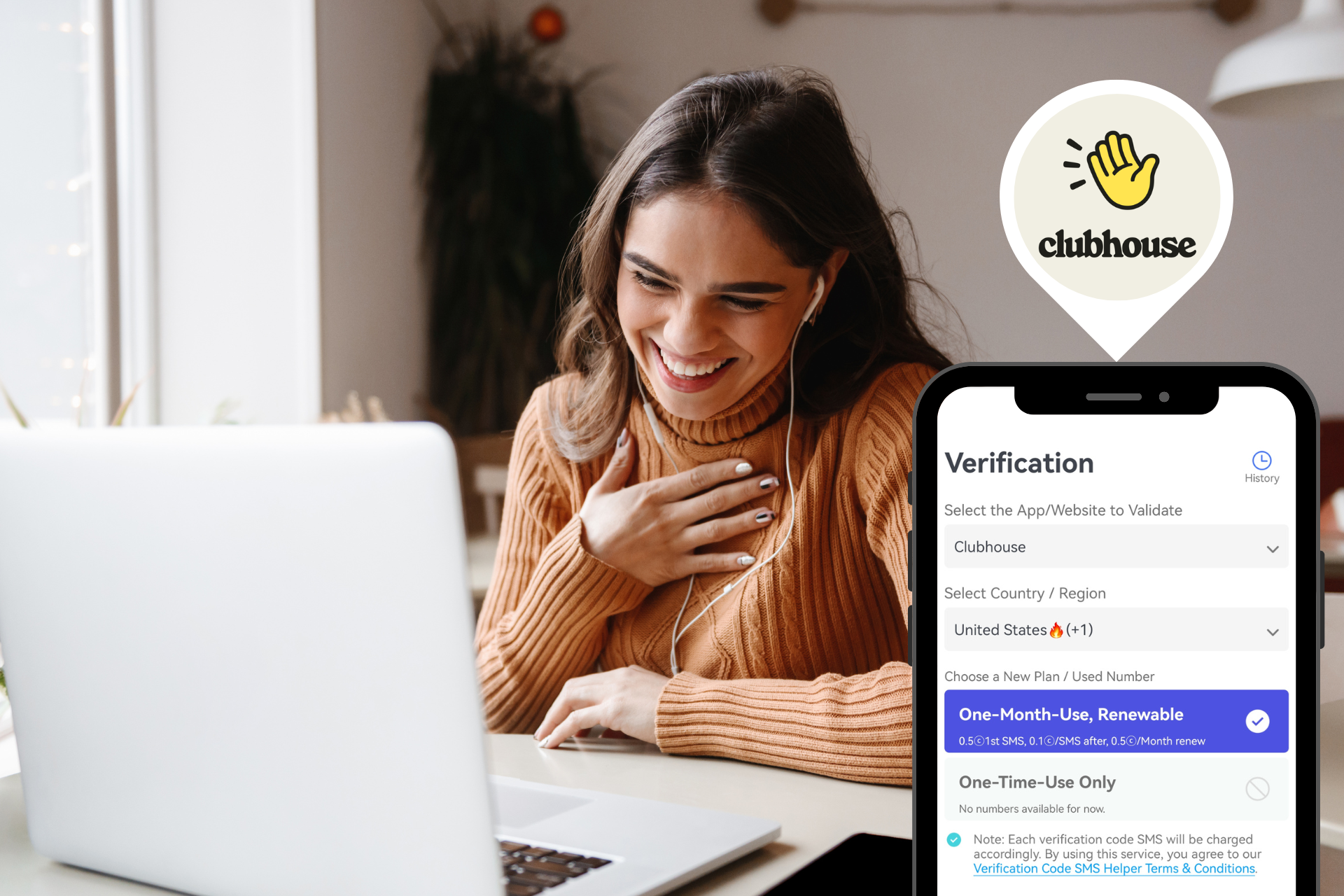
Want to join Clubhouse and start connecting through live audio conversations? Before you can access the platform, you’ll need to complete Clubhouse phone number verification. In this guide, you’ll learn how to sign up for Clubhouse, receive a Clubhouse verification code, and use PingMe to protect your privacy with a secure second phone number.
What Is Clubhouse and How Does It Work?
Clubhouse is a live audio social networking platform that allows users to join real-time voice conversations with people worldwide.
From business and entrepreneurship to technology, marketing, and personal development, Clubhouse offers thousands of discussion rooms where users can learn, network, and share ideas. Its interactive audio-first format makes it a unique alternative to traditional social media platforms focused on text, photos, and videos.
Popular uses for Clubhouse include:
- Professional networking
- Business and startup discussions
- Industry knowledge sharing
- Educational conversations
- Community building
- Creator engagement
- Personal development discussions
Because conversations happen live, Clubhouse creates a more authentic and spontaneous experience than many traditional social platforms.
How to Create a Clubhouse Account Step by Step
Creating a Clubhouse account is a straightforward process.
Download and Register for Clubhouse
First, download the Clubhouse app from your device’s app store.
Once installed:
- Open the app.
- Tap the sign-up option.
- Enter your phone number.
- Provide your name and profile information.
- Choose a username if available.
- Select your interests and topics.
After completing these steps, Clubhouse will initiate the verification process.
Verify Your Phone Number
Clubhouse will send a one-time SMS verification code to the phone number you provided.
To complete verification:
- Check your SMS messages.
- Locate the verification code.
- Enter the code into the Clubhouse app.
- Confirm your account.
Once verification is successful, your account becomes active.
You can then:
- Follow people and topics
- Join audio rooms
- Participate in discussions
- Build your network
- Customize your profile
The verification step is essential because Clubhouse uses your phone number as part of its authentication system.
Why Many Users Prefer a Second Phone Number for Clubhouse
Although phone verification has become common across online services, many users prefer not to use their personal numbers whenever possible.
Better Privacy Protection
Every time you register for a new service, you share another piece of personal information online.
Using a second phone number helps create a layer of separation between your primary identity and the platforms you use.
This approach can reduce exposure and help you maintain greater privacy.
Separate Personal and Social Accounts
Many people use different phone numbers for different purposes.
For example:
- Personal communications
- Business activities
- Online registrations
- Social media accounts
Separating these activities can make account management easier and more organized.
Reduce Unwanted Contact
Using your personal number everywhere may increase the likelihood of receiving unwanted calls, messages, or promotional communications.
A secondary number can help limit disruptions while keeping your primary number private.
Greater Flexibility
Freelancers, entrepreneurs, marketers, content creators, and community managers often manage multiple online accounts.
Having access to an additional phone number provides flexibility when registering for services that require SMS verification.
Benefits of Using PingMe for Clubhouse
PingMe is a second phone number platform that allows users to obtain additional phone numbers for receiving SMS verification codes and managing online registrations.
Keep Your Personal Number Private
One of the biggest reasons users choose a second phone number is privacy.
Rather than sharing your primary number across multiple services, you can use a separate number specifically for online registrations and account verification.
This helps create a clear boundary between your personal communications and your online activity.
Receive Clubhouse Verification Codes Conveniently
Clubhouse requires SMS verification during account registration and account access.
With PingMe, users can obtain a secondary number that may be used for receiving verification messages, simplifying the signup process.
Access Numbers From Multiple Regions
Many online services operate globally, and users often need flexibility when registering accounts from different locations.
A second phone number platform can provide additional options that help users complete verification processes more conveniently.
Better Account Management
People frequently manage accounts across multiple platforms, including:
- Social media
- Messaging apps
- Community platforms
- Productivity tools
- Business services
Using a dedicated verification number can make account management cleaner and more organized.
Enhanced Digital Privacy
Privacy has become an increasingly important concern for internet users.
By limiting the number of platforms that have access to your primary phone number, you gain more control over your personal information.
Step-by-Step Guide to Verifying Clubhouse With PingMe
If you want to use PingMe during Clubhouse registration, the process is simple.
- Sign up a PingMe account through the website or apps.
- Obtain a second phone number from the USA, UK, Canada, Australia, and many other regions.
- Open Clubhouse and begin account registration.
- Enter your PingMe number during signup.
- Wait for the SMS verification code.
- Retrieve the code through PingMe.
- Enter the code into Clubhouse.
- Complete your account setup.
After successful verification, you can begin exploring Clubhouse communities, joining conversations, and connecting with other users.
Clubhouse Verification Troubleshooting
Sometimes users encounter issues during the verification process. Here are several common problems and solutions.
Verification Code Not Received
If your code doesn’t arrive:
- Confirm the number was entered correctly.
- Check for network connectivity issues.
- Wait several minutes before requesting another code.
- Ensure SMS reception is available.
Number Not Accepted
Some services may place restrictions on certain types of phone numbers.
If a number isn’t accepted:
- Verify that the number format is correct.
- Try another available number.
- Review Clubhouse’s verification requirements.
Login or Recovery Problems
If you lose access to the number associated with your account, account recovery may become more difficult.
To avoid complications:
- Keep your account information updated.
- Maintain access to your verification number when possible.
- Follow Clubhouse account recovery procedures if necessary.
FAQs About Clubhouse Verification
1. Does Clubhouse Require a Phone Number?
Yes. Clubhouse requires phone number verification during account registration and may use phone-based authentication for account access.
2. Can You Use a Second Phone Number for Clubhouse?
Many users choose to use a secondary number to separate their personal information from online services and improve privacy.
3. Why Am I Not Receiving a Clubhouse Verification Code?
Verification delays can occur because of network issues, carrier restrictions, country-specific limitations, or temporary service disruptions.
4. What Happens If I Change My Phone Number Later?
You should update your account information whenever possible to maintain access and simplify future login or recovery processes.
5. Is Clubhouse Free to Use?
Yes. Clubhouse is free to download and use, although certain creator features or future offerings may vary over time.
Ready to get your verification code?
Keep your primary number for those who matter. Using PingMe to get a verification code is fast, safe and secure.
First time users get a gift of $0.2 free credit to use towards getting a verification code.
Related Articles
How to Complete GOAT Verification Successfully
Having trouble with GOAT verification? Learn how to receive GOAT SMS codes, fix OTP issues, and protect your privacy with a second phone number from PingMe.
Register Warpcast for free with a US phone number!
Secure a second number for registration and verification across platforms. Secure a second number for registration and...
How To Register a ChatGPT Account With a Virtual Phone Number
Secure a second number for registration and verification across platforms. Secure a second number for registration and...